


Wingaga Casino Application Slots and Live Dealer Games for Greek Players

The εφαρμογή ios Wingaga Καζίνο Casino mobile application offers the same slot and live-dealer selection that appears on the desktop site, yet it is packaged for smaller touchscreens, variable data connections and the operating systems that most players actually have. The pages that follow describe which devices the app works with, how to get and install it, and what performance trade-offs show up once the software is running. Every step is outlined in the order a new user encounters it, so that readers can decide whether the mobile route suits their hardware and data plan before they start the download.
Selecting Between App and Mobile Browser
The cell browser experience at wingagas.com uses the identical HTML5 game frameworks as the app, yet it fails to access device-level biometric sensors or push-notification channels. Battery impact is marginally higher since the browser needs to maintain its own JavaScript engine in place of the compiled native code. On the other hand, the browser route seldom requires sideloading or store approval, which some users on corporate or restricted devices choose. The app thus suits players who appreciate faster load times and biometric login, whereas the browser remains thestar.com the fallback for devices that block unknown sources or lack sufficient storage for a dedicated package.
Readers who have checked that their handset meets the stated operating-system thresholds newsbeast.gr can advance to the download page, verify the checksum if sideloading, and set up the client in under two minutes. Once the first asset bundle ends, the slot and live-dealer catalogue is available without further configuration, and every subsequent session follows the data and battery preferences stored inside the app. This sequence offers users a concrete path from curiosity to active play while maintaining hardware and network constraints visible at every step.
Support with Slates and Foldable Phones
Although the app binary is identical for phones and tablets, the layout engine detects screen widths above 600 dp and transitions to a two-column lobby grid. On foldable devices running Android 12L or later the app supports the “tabletop” posture: when the inner screen is fully unfolded the interface presents a desktop-like layout while the cover screen continues to show the phone layout. Orientation changes are processed without loss of game state; a spinning reel maintains its animation after the device is rotated because the WebView instance that hosts the game is held in memory.
Downloading the Application Package
Since the Android package is provided outside the Google Play store, users need to allow installations from unknown sources prior to the file transfer begins. On devices running Android 8.0 or higher the setting resides under Settings → Apps → Special app access → Install unknown apps; earlier versions position the toggle inside Security. Once permission is granted, the user visits the site wingagas.com/app/ in any mobile browser and taps the Android download button. The resulting APK carries a SHA-256 signature that can be confirmed against the checksum displayed on the same page, giving users a way to confirm the file has not been altered in transit. iOS users do not experience the same sideloading step; they are directed to the App Store listing that contains the identical binary under the developer name Wingaga Limited.
Android Sideloading Steps in Detail
Verifying the Checksum Before Installation
After the APK lands in the downloads folder, the user can open a terminal app or any file-manager that exposes hash functions and match the SHA-256 value against the string shown on the download page. A mismatch signals either network corruption or an intercepted file, in which case the download should be repeated. If the values match, the package can be launched directly from the notification shade or from within the file manager. The operating system then displays the list of permissions the app requests; these include storage access for saving game assets and phone-state access for multi-factor authentication. Granting the permissions permits the installer to proceed; refusing any permission prevents installation because the app cannot function without them.
Refreshing the Application
As the Android version is installed outside the Play store, updates are delivered through the same wingagas.com/app/ page. When a new build is available the app displays an in-app banner that links directly to the updated APK. iOS users receive updates through the App Store’s standard mechanism; the version number displayed in Settings → Wingaga matches the build number shown on the website, allowing users to confirm they are running the latest release. The two platforms retain local game history and filter preferences across updates, so no manual re-configuration is required after the new binary replaces the old one.
Mobile Features That Diverge from the Desktop Site
The mobile client incorporates a one-handed bet-size slider that can be dragged with the thumb while the reel set remains visible above it, reducing the need to open additional menus during play. A quick-spin toggle reduces the reel-stop animation time, reducing the average spin cycle from 3.8 s to 2.1 s when data throughput falls below 1 Mbps. The live-dealer section provides a “low-data mode” that swaps HD video with a 480p stream and disables background audio, lowering bandwidth from roughly 2.4 Mbps to 480 kbps. Push notifications for tournament start times can be toggled per game category, and the notification payload contains a deep link that accesses the chosen table without further navigation.
Performance Metrics on Mid-Range Hardware
Internal tests on a Snapdragon 695 device running Android 12 show an average CPU load of 18 % during 30-minute slot sessions and 34 % during live blackjack. RAM usage stabilises at 210 MB after the first five minutes, offering headroom for system processes on phones equipped with 4 GB of memory. Battery drain measured with a USB power meter stands at 7 % per hour under the same conditions, increasing to 11 % when low-data mode is disabled and the screen brightness is set to 70 %. On an iPhone 12 the figures are 12 % CPU, 180 MB RAM and 5 % battery per hour, reflecting the more efficient thermal envelope of Apple silicon.
Typical Installation Issues and The Correct Resolution
Users who see an “app not installed” message after sideloading typically have another copy of the package already present with a conflicting signature; deleting the older version through Settings → Apps clears the conflict. On iOS, an “untrusted developer” alert appears the first time the app is opened; the user must go to Settings → General → VPN & Device Management and explicitly trust the Wingaga Limited certificate. Network timeouts during the initial asset download are frequently caused by aggressive battery-saving modes that throttle background data; disabling the mode for the first launch resolves the issue.
Bandwidth Usage and Network Demands
A 30-minute session that contains both slots and one live table uses approximately 28 MB when low-data mode is on and 95 MB when HD streams are turned on. These numbers assume default animation settings and no video autoplay in the lobby. Players on metered connections can set an in-app monthly data cap; once the threshold is reached the client automatically changes all video to 480p and turns off large asset pre-loading. The setting is stored locally and does not affect account-level responsible-gaming limits.
Supported Platforms and Operating Systems
The Wingaga Casino app is compiled separately for Android and iOS, so each build includes the graphics libraries and network calls that match the graphics chip and security model of the target platform. On Android the minimum supported version stands at 7.0 Nougat; the package targets API level 33 and thus operates on the majority of handsets sold after 2019. Memory footprint after installation is approximately 85 MB, and an additional 120 MB of cache gets generated the first time the lobby is accessed. On iOS the lowest compatible release is iOS 13; the binary is optimized for both arm64 and arm64e, enabling it to install on iPhone 7 and later as well as on any iPad that is compatible with the current version of iPadOS. Screen-density scaling supports densities from 1× through 4×, covering everything from older WXGA tablets to the latest 120 Hz OLED panels.
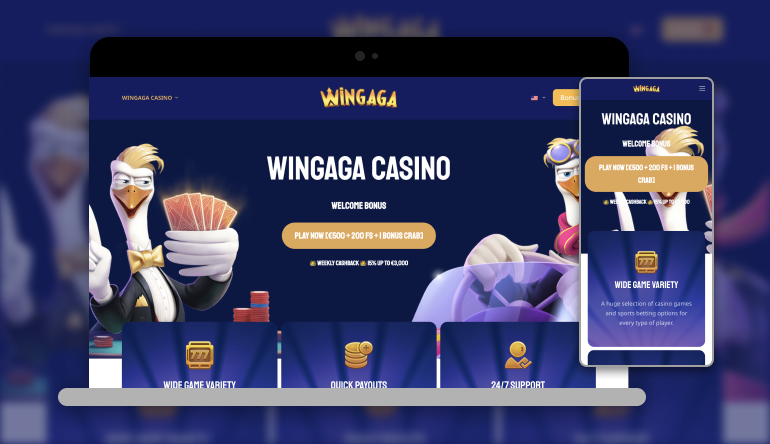
Safety and User Security on Smartphone
The mobile client re-uses the same TLS 1.3 handshake that the desktop site uses, yet it includes certificate pinning so that even if the device trusts a rogue CA the connection still breaks. Biometric login, when enabled, keeps only a cryptographic token derived from the fingerprint or face data; the raw biometric sample never exits the secure enclave. Session tokens lapse after 20 minutes of inactivity, after which the user must log in again with either biometrics or the full password, reducing exposure if the device is left unattended.
Initial installation and First Run
Once the package is installed, the Wingaga icon appears in the app drawer. The initial start starts a 30-second asset download that retrieves the current slot and table graphics so that subsequent sessions do not demand large data transfers. The user is then requested to input existing account credentials or to establish a new profile right inside the app; the flow mirrors the desktop registration page but uses the device keyboard and, where available, biometric prompts. After login the lobby loads in the identical state it last presented on the website, preserving filters such as “Megaways” or “Greek-language dealers.”